Tabletop Tavern Trainer
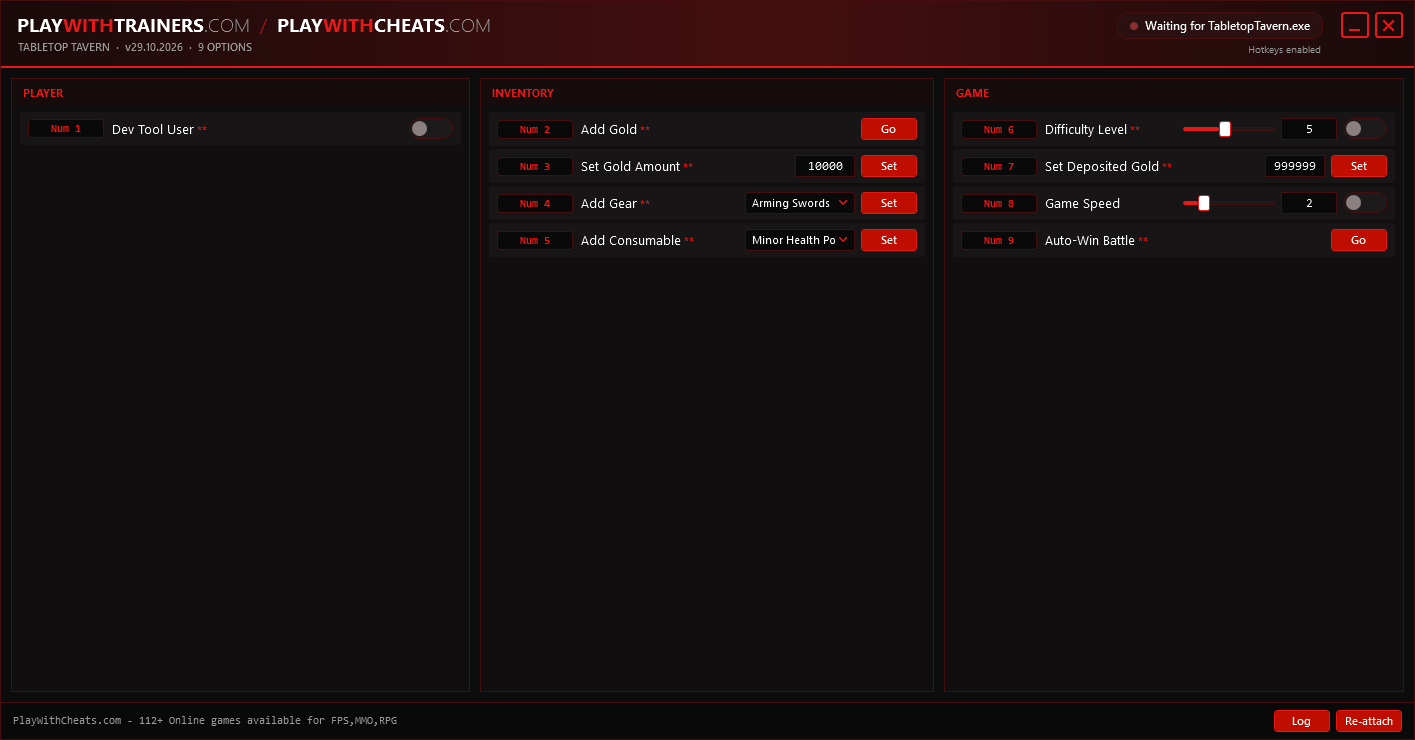
A roguelike RTS where you build an army from nothing and lead it through a hard campaign. These Tabletop Tavern cheats add gold, gear and consumables to your current run, set the campaign difficulty and deposited gold, and can end any battle as a win.
| Game | Tabletop Tavern |
|---|---|
| Developer | TJ |
| Game version | v29.10.2026 |
| Works with | Steam |
| Released | 11 Jun 2026 |
| Options | 9 |
| Last updated | (November 1, 2026) |
Download
| File | Date added | File size | Downloads |
|---|---|---|---|
| Tabletop Tavern v29.10.2026 Plus 9 Trainer.exe | 01 Nov 2026 | 3.4 MB | — |
Download trainer3.4 MB · free · no account needed
What the Tabletop Tavern cheats cover
9 options in one trainer, each on its own hotkey. In short:
- Add gold with a custom amount, set deposited gold
- Add any gear or consumable to the current run, with more gear and consumable slots
- Auto-win the current battle, set the campaign difficulty level
- Turn on the game's developer tool flag, game speed
The full hotkey list is printed inside the trainer window.
How to use it
- Start Tabletop Tavern and wait until you are at the main menu.
- Run the trainer and leave it open in the background.
- Load your save, then press the key next to the option you want.
- Press the same key again to switch that option back off.
Note. Add Gold, Add Gear and Add Consumable work during a campaign run. Dev Tool User and Set Deposited Gold write straight into your player save, so back it up first.
Other trainers
-
 7 Days to Die Trainer
 -
 Nested Lands Trainer
 -
 Legend of Heroes: Three Kingdoms Trainer
 -
 Into the Dead: Our Darkest Days Trainer
Comments
No comments yet. Be the first.